
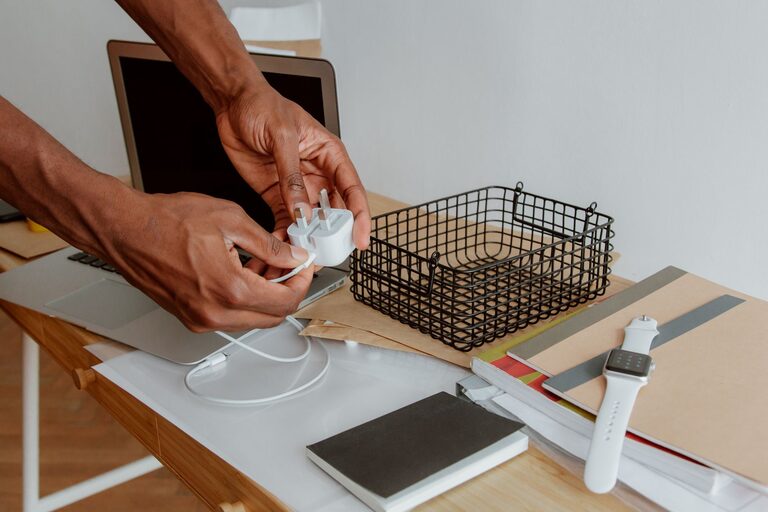
Cables and chargers have a way of spreading across desks, drawers, nightstands, and kitchen counters. A few phone cables can quickly become a tangled collection of charging cords, adapters, headphones, and computer accessories. The good news is that you do not need expensive equipment or a major home project to organize them.
With a simple system, you can sort what you own, remove duplicates, store each item in a practical place, and make daily charging easier. The key is to organize cables based on how often you use them and where you use them.
Start by Gathering Everything
Before choosing storage containers, collect all your cables and chargers in one place. Check desks, drawers, bags, closets, bedside tables, and other areas where cords may have collected.
Spread everything out so you can see what you have. Separate the items into broad groups, such as:
– Phone and tablet charging cables
– Laptop and computer chargers
– Camera and gaming cables
– Headphone and speaker cables
– Extension cords and power strips
– Adapters and charging blocks
– Cables you are not sure about
This first step often reveals that you have several cables serving the same purpose. It also makes it easier to identify cords that are damaged, outdated, or no longer useful.
Check the Condition of Each Cable
Inspect cables before putting them back into storage. Set aside anything with:
– Exposed or frayed wires
– Cracked connectors
– Loose plugs
– Bent ends
– Heat damage
– Missing insulation
Damaged cables should not be kept in regular use. If you are unsure whether a cable is safe, replace it rather than storing it with the rest of your collection.
Sort Cables by Use
Once everything is visible, create groups based on where and how you use each item. Sorting by purpose is usually more helpful than sorting only by cable type.
For example, you might create these groups:
– Daily-use cables
– Office or work-from-home cables
– Travel cables
– Occasional-use cables
– Spare or backup cables
– Cables for specific devices
Keep the cables you use every day in the most accessible location. Store occasional-use cables farther away, such as in a labeled drawer or storage box.
You can also organize cables by room. A small set for the bedroom, another for the office, and a travel kit for your bag can help prevent cords from moving around the house.
Use a Simple Labeling System
Labels make it much easier to identify a cable without testing every cord. This is especially useful when several cables look alike.
You can label cables with:
– Small adhesive labels
– Colored tape
– Reusable cable tags
– Heat-shrink labels
– A permanent marker on a plain tag
Write clear descriptions such as “tablet,” “camera,” “monitor,” or “travel charger.” If a cable works with several devices, label it by its connection type instead.
For chargers with removable cables, label both the cable and the charging block if they belong together. This prevents confusion when several similar adapters are stored in the same container.
Choose the Right Storage Method
The best storage method depends on how often you use the cable and how much space you have. Use open storage for daily items and enclosed storage for cords you use less often.
Cable Clips for Daily Use
Cable clips are useful on desks, nightstands, and kitchen counters. They keep charging cables in place and stop them from sliding behind furniture.
Attach clips near the edge of a desk or beside a bed. Leave enough cable length to reach your device comfortably, but avoid leaving a large loop of extra cord on the surface.
Small Bags for Portable Sets
Small zippered pouches are ideal for travel or work bags. Create a separate pouch for items you regularly carry, such as:
– A phone charging cable
– A compact charging block
– Earbuds or headphones
– A short extension cord
– A small adapter
Keeping these items together means you can grab one pouch instead of searching through several drawers.
Boxes and Dividers for Drawers
For larger collections, use a box with small compartments or add dividers to a drawer. Place each cable in its own section, or group similar items together.
Avoid filling a large box with loose cables. Even if the cables are technically stored, they will become tangled and difficult to identify. Dividers, small containers, or separate pouches make the system easier to maintain.
Wrap Cables Without Damaging Them
The way you wrap a cable can affect its condition. Avoid tightly bending cords, especially near the connector. Repeated sharp bends can weaken the cable over time.
Use the “over-under” method for longer cables. Alternate the direction of each loop so the cable does not twist into a tight coil. For shorter cords, make loose loops and secure them with a reusable hook-and-loop strap.
Good options for securing cables include:
– Hook-and-loop straps
– Silicone cable ties
– Reusable cord organizers
– Soft twist ties
– Built-in cable straps
Do not use overly tight rubber bands or force a thick cable into a small loop. The goal is to keep the cord contained while allowing it to rest naturally.
Create a Charging Station
A dedicated charging station can reduce clutter in common areas. Choose a location near an outlet, such as a desk, shelf, or side table. Use a tray, basket, or charging organizer to hold the items.
A basic charging station may include:
– One power strip or charging hub
– Separate spaces for each device
– Cable clips to keep connectors in place
– A small tray for earbuds and accessories
– Labels for cables used by specific devices
Keep only the chargers needed in that area. Storing every spare cable at the charging station can make it crowded and difficult to use.
If several people share the space, assign each person a section or container. This prevents chargers from being mixed together and makes it clear where each item belongs.
Organize Cables Behind a Desk
The area behind a desk often becomes a tangled collection of power cords and device cables. Start by unplugging and identifying each cable. Connect only the equipment you currently use.
Group related cables together with reusable straps. For example, keep monitor, keyboard, and mouse cables in one group, and separate them from power cables when possible.
You can also:
– Use adhesive cable clips along the back of the desk
– Attach a cable tray beneath the desktop
– Label both ends of long cables
– Keep excess length in a loose loop
– Leave room to unplug devices easily
Avoid creating one large bundle containing every cord. Smaller groups are easier to trace and adjust.
Store Cables You Rarely Use
Seasonal, replacement, and specialty cables can be stored away from your daily supplies. Use a labeled box or fabric bin in a closet or cabinet.
Organize these items by category, such as “computer,” “audio,” “camera,” or “adapters.” Keep unusual cables with the device they belong to whenever possible. For example, a camera cable can be stored in the camera case.
Take a quick inventory before buying another cable. A simple list or photo of your storage box can help you remember what you already own.
Review Your Collection Regularly
Cable organization works best when it becomes a small routine. Every few months, review your collection and remove items that are damaged, obsolete, or no longer connected to devices you own.
When adding a new cable, decide where it belongs immediately. Label it if needed and store it with similar items instead of placing it in a random drawer.
A neat cable system does not require perfect storage. It only needs clear categories, easy access, and a place for each item. By sorting cables, labeling them, and using simple containers or clips, you can reduce clutter and find the right charger when you need it.